2026-W12
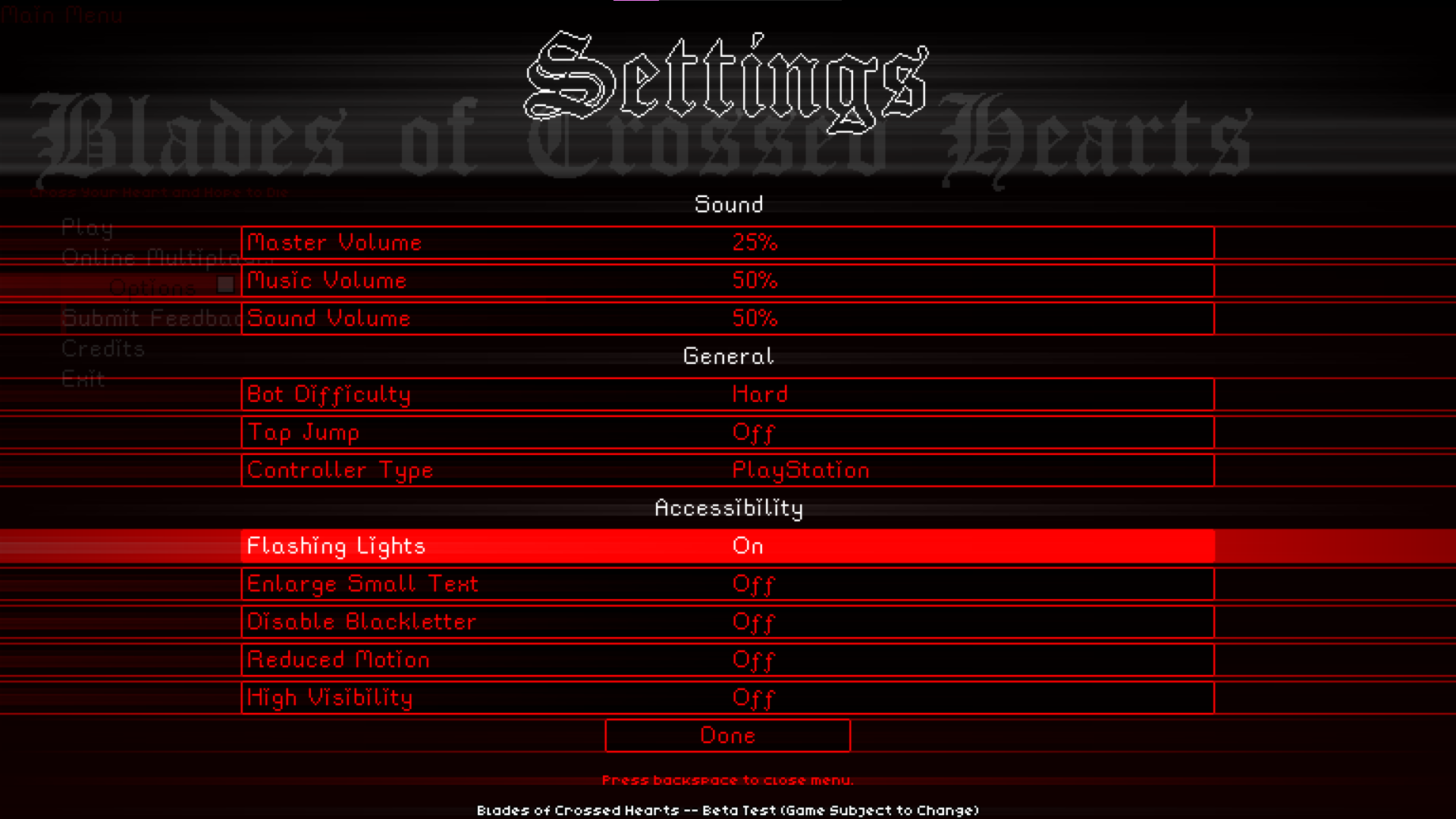
Accessibility in Blades
Accessibility is really important to me, and it's important that the experience of playing Blades should be as frictionless as possible.
This of course means I want to make sure that players with disabilities can play Blades, but I'm also a firm believer in the "curb cut effect". Where things added for disabled people will often positively affect people who don't have any disabilities.
I was updating the disability information for Blades on Steam recently when I noticed there were a lot of things in their recommendations that would be really easy to implement that I just hadn't yet. This sparked me to make an update focused on accessibility specifically.
Stereo Audio
The first big thing that caught my eye was stereo and surround sound. Because fun fact: Blades used to have that already. I actually knew how to do this already, but during Update 0.23.0 (Engine Overhaul Update) it was removed.
So it was fairly trivial to simply add that back into the game. Now for stereo players you'll be able to hear Cyanide jumping on the left or right of the screen.
The game also supports surround sound, but it's nothing too crazy since the game is 2D. You won't really get an advantage with surround sound compared to stereo. And the game will fallback to stereo audio if surround sound can't be used.
Why is this important?
Well this might come as a shock to you but there are actually blind people who like to play fighting games. Capcom's Street Fighter series has always been especially known for having great stereo audio, and with enough audio queues certain blind players have found success playing the game even at a pretty high level.
I doubt I'm going to have anybody blind playing Blades, but it would be nice if they had the option. Especially since like I mentioned before, accessibility features help everyone, not just the disabled. Stereo audio will make the game sound nicer, more clear, and likely more comprehensible for everybody.
Visual

Colors
One of the recommendations Steam gives is that games should have adjustable color variations for colorblind players.
And while Blades does support this with its character color system, it actually goes a step further. For such a colorful game it might surprise you but Blades was always designed to be playable in black and white.
You'll have a harder time telling which player is which depending on the shades of the colors you select, but the game is absolutely playable entirely in greyscale and I frequently test it to make sure this is possible.
There might be cool environmental details related to color, but I never plan on adding modes or mechanics to Blades that require you to differentiate specific colors accurately.
Flashing Lights
🎵 Amass One Hundred Eepless Nightsss
So I guess it's time I finally actually start discussing the new settings. Or... not quite yet. This one is actually quite an old setting. The Flashing Lights toggle is deeply imbedded within the code in all sorts of aspects of Blades.
Basically anywhere the game would show you something even remotely flashy, it'll first consult the value of this toggle. Here is a (hopefully full) list of things effected by this toggle:
- Text-based transitions between menu screens will no longer flash.
- "Heartbreak" text at the end of the match will no longer flash.
- The character select will no longer flash white when adding a character.
- The opening movie won't flash.
- The title screen won't flash.
This is obviously important for players with epilepsy who might be sensitive to flashing lights. But it's residual usage would be for players who are playing the game in a dark room and don't wanna be flash banged.
Enlarge Small Fonts
Okay so... I was working on a thing for future localization and I realized that I would need different fonts for certain Asian characters. Unfortunately, there aren't any 8 pixel fonts for that because... well that would be ridiculously tiny.
So I realized the smallest text in Blades wouldn't be able to support other languages, and ever since then I've been silently designing the UI of Blades to always leave enough room for larger fonts.
This update made use of that. I realized it would be trivial to simply add a toggle that replaced the smallest 8x font in the game with a 16x font. So that's exactly what I did with the Enlarge Small Text setting.
This also allows me to tick a neat little text box on the Steam page that will make this game show up when players search for games with this feature. And the 16x font complies with Steam's guidelines for text size. It's actually pretty large by video game standards.
Disable Blackletter
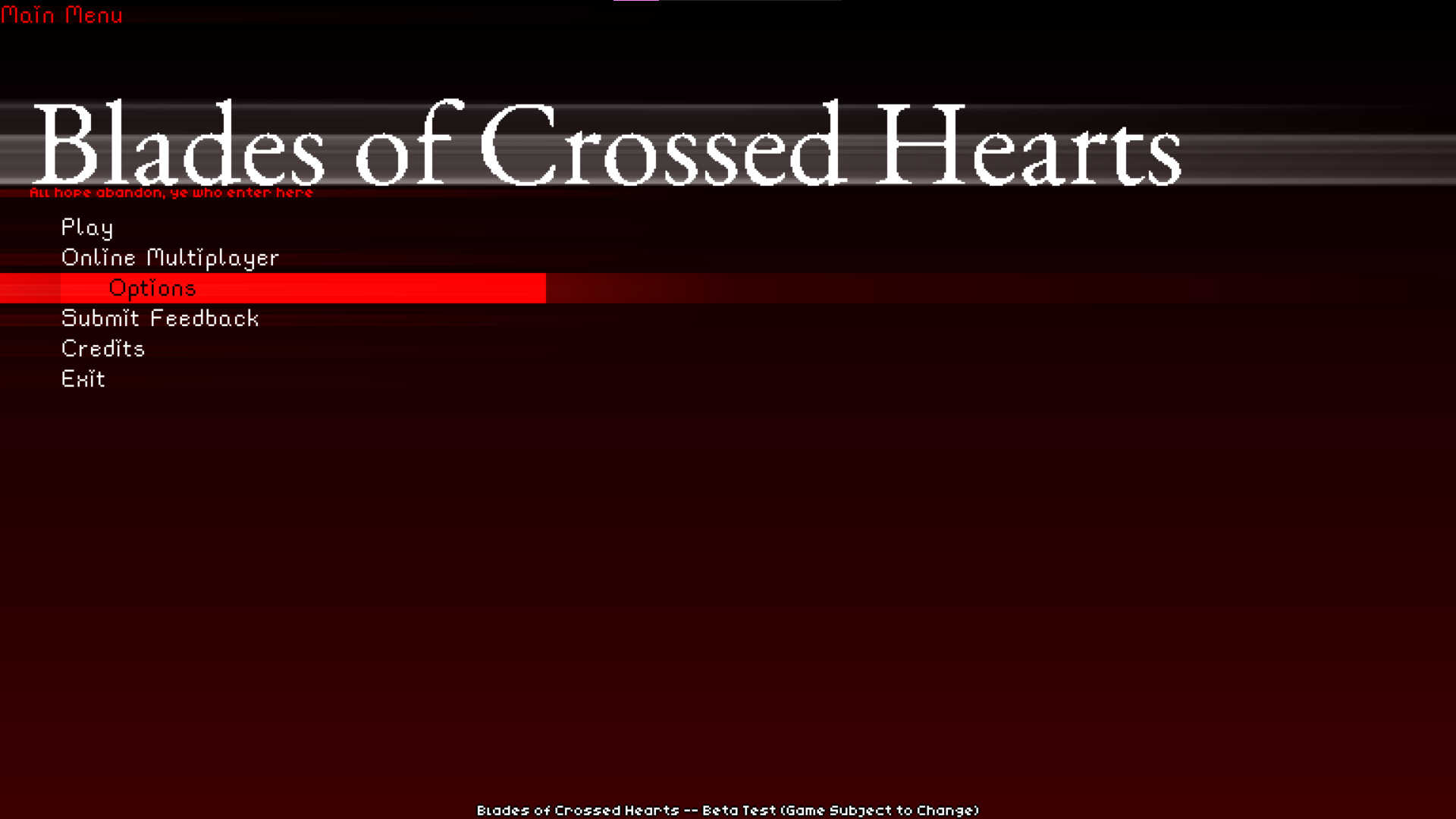
This is the first setting here that's primarily designed for players without any disabilities. It's actually incredibly common for players to not be able to read gothic calligraphy AKA Blackletter. (𝕿𝖍𝖎𝖘 𝖙𝖊𝖝𝖙 𝖘𝖙𝖞𝖑𝖊 𝖙𝖍𝖆𝖙 𝕭𝖑𝖆𝖉𝖊𝖘 𝖘𝖔𝖒𝖊𝖙𝖎𝖒𝖊𝖘 𝖚𝖘𝖊𝖘)
This toggle was simply added to revert that to a more normal serif style. Honestly I'd like to tweak it a bit to make it look thinner, but the serif font doesn't look too bad, and I might incorporate it into other parts of the game by default.
Reduced Motion
Reduced motion pretty much only affects camera shake at the moment. It'll probably have other effects in the future, but I haven't gotten around to any of them yet.
I was planning on having this setting also influence the in-game camera adjustment speed, but I actually decided that the speed was too fast by default anyway, and so I toned to down to a level that I think would be universally acceptable.
High Visibility
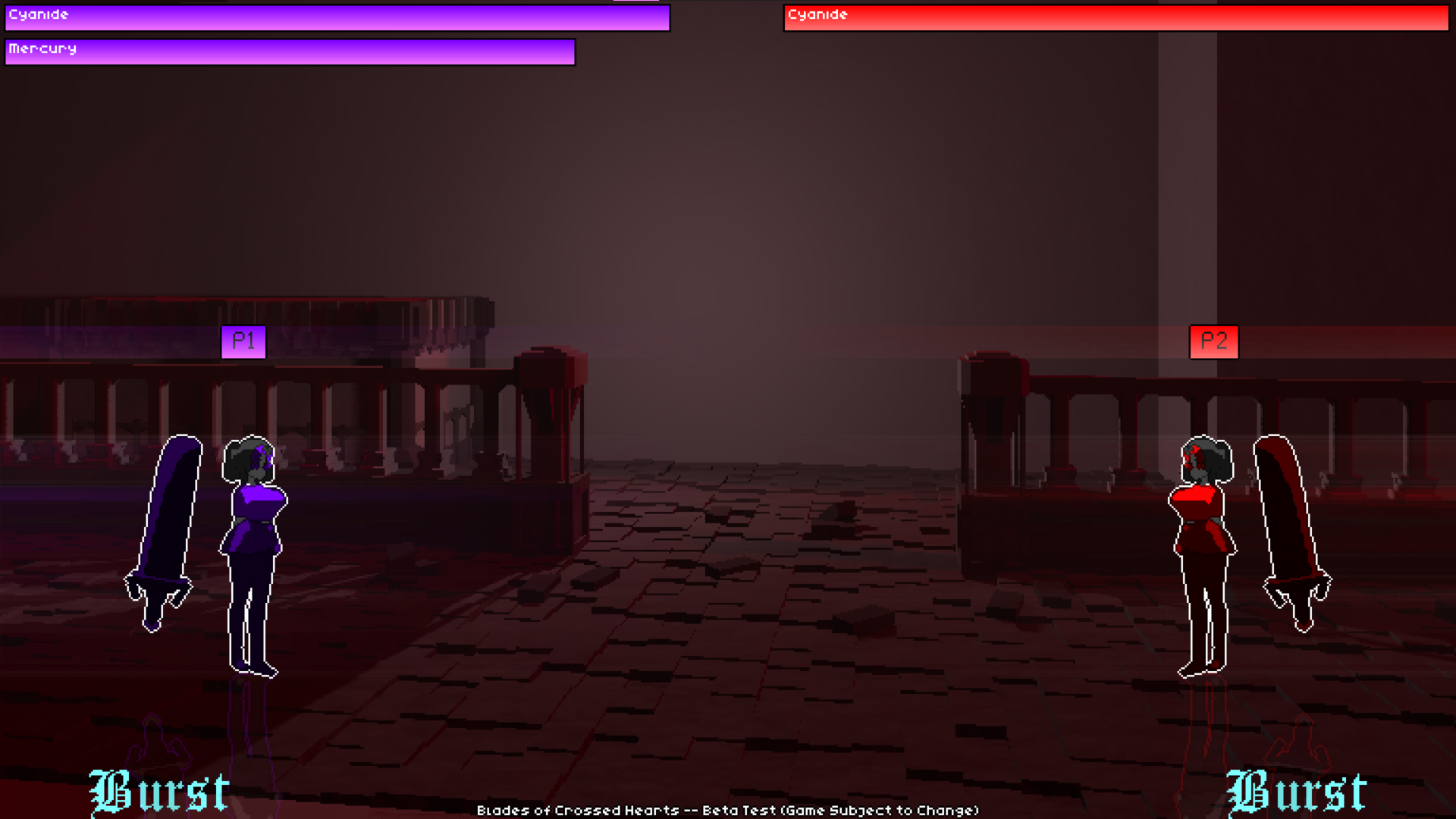
Last but probably not least (I think least would be the font size) we have the High Visibility toggle. This is kind of a combination of a few things requested by various players.
Here's what it does:
- Disables rain.
- Dim's background and particles.
Essentially it aims to make the visual effects of the game less distracting at the cost of a bit of flavor.
Other Steam Guidelines
Steam recommends two other things that I haven't done yet.
The first is a UI narrator to make the game fully playable without vision. I unfortunately don't have this yet, but it is on the todo list. I can't make any promises on when it'll happen but I could probably bump it up on the todo list if somebody blind really wants to try Blades.
The second is a bit more challenging. Steam has a checkbox for if your game is playable without any requirement for timing at all. Blades kinda requires timing, but I wouldn't be opposed to something like a "Time only moves when you do" mode, or even a turn based mode for single player. We'll see about that though.
Conclusion
IF YOU'RE MAKING A GAME ADD ACCESSIBILITY OPTIONS!!!
Like seriously it took almost as much effort to write this article as it did to actually make all of those options. You have no excuse, it's really easy and it's very important.